What Is AI Product Photography?
Beyond the marketing phrase
AI product photography is the use of generative models to change or extend a product photo. That includes removing backgrounds, replacing them with white or lifestyle scenes, relighting objects, and placing a real product into a new environment. The input is usually one or more photos of your product. The output is a new image that should look like a professional photograph.
The key word is "should." AI can produce impressive results, but it does not understand your product the way a photographer does. It predicts pixels based on patterns it learned from training data. Sometimes it gets details wrong: a logo shifts, a color changes, a texture becomes smoother or rougher than the real item.
Three common workflows
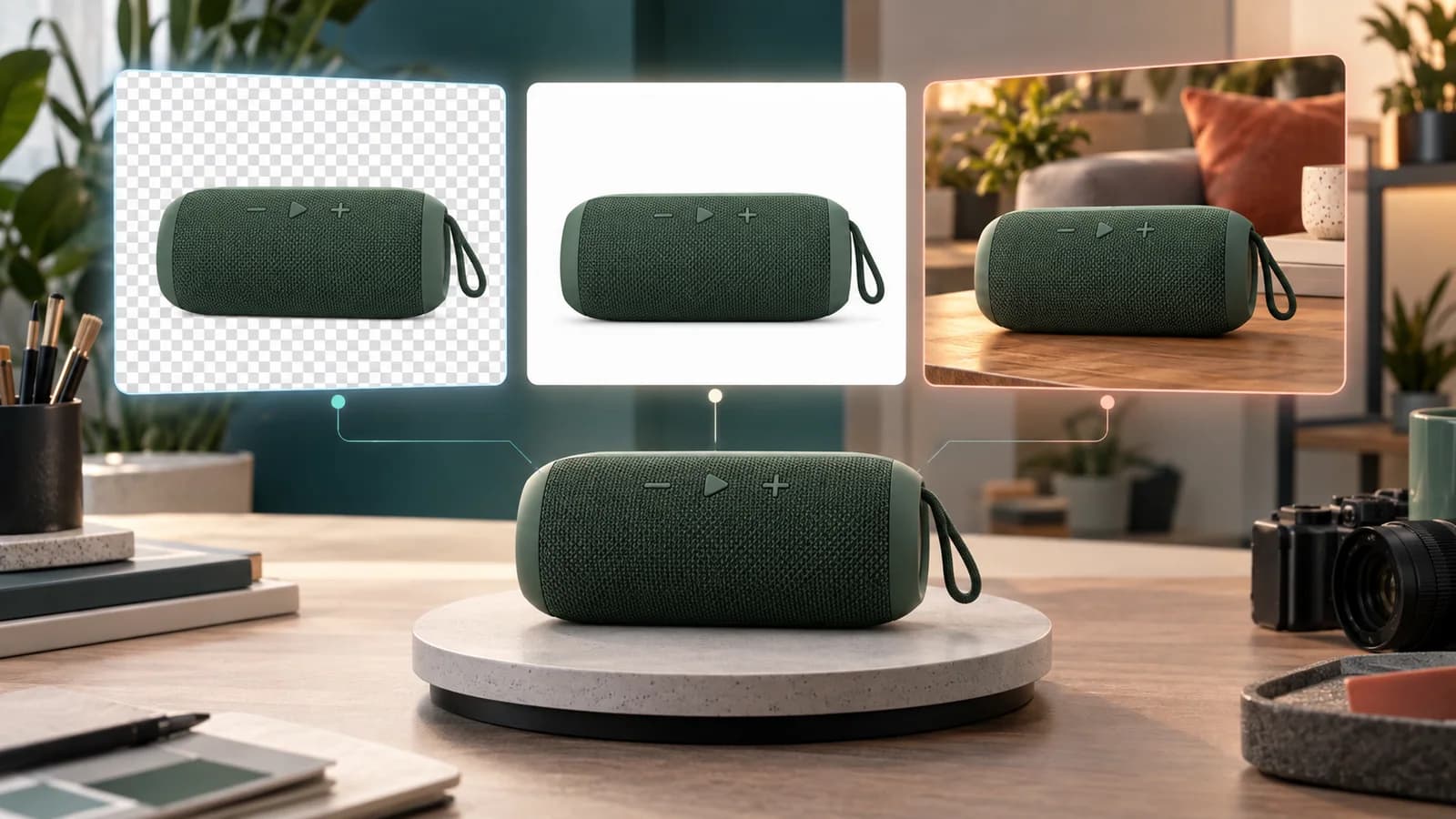
The most common AI product photography workflows fall into three buckets. Background removal isolates the product so it can be placed anywhere. White-background generation creates a clean catalog frame. Lifestyle scene generation places the product into a setting like a kitchen, bedroom, or studio.
Each workflow has a different risk profile. Background removal is the safest because it mostly deletes pixels rather than inventing them. White-background generation adds a new backdrop but should keep the product itself unchanged. Lifestyle scene generation is the most creative and the most likely to alter small product details.
How the brief shapes the result
The quality of an AI product image depends heavily on the brief you give the model. A good brief includes the original product as the primary reference, a clear description of the desired setting, and constraints about what must stay the same. Aspect ratio, lighting direction, and color palette all matter.
PackBeam keeps the original product as the main instruction and adds a preset plus an optional short direction. This structure reduces the chance that the model drifts away from the actual item. The preview step exists precisely because the brief is not always interpreted perfectly.
Why preview and review are non-negotiable
A small seller cannot afford to publish a product photo that misrepresents inventory. If the AI changes the shape of a handbag handle, removes a certification badge, or turns matte plastic into glossy metal, the return rate can rise and reviews can suffer. That is why every AI product photography workflow should end with a human review.
Check the product itself first, then the background. Compare the output to your source photo. Look at text, logos, proportions, color, and material. Only publish the image when the product in the generated photo matches the product that will ship.
When AI product photography makes sense
AI product photography is most valuable when you need many variations quickly and do not have budget for a studio shoot. It helps with A/B testing thumbnails, creating seasonal campaigns, localizing ads for different markets, and filling out a catalog with consistent framing. It is not a replacement for every photoshoot, but it is a practical alternative for a large share of ecommerce imagery.
Used with clear expectations and a careful review step, AI product photography can give small sellers a faster, more flexible path to professional-looking product photos.